


What is a Private Profile?
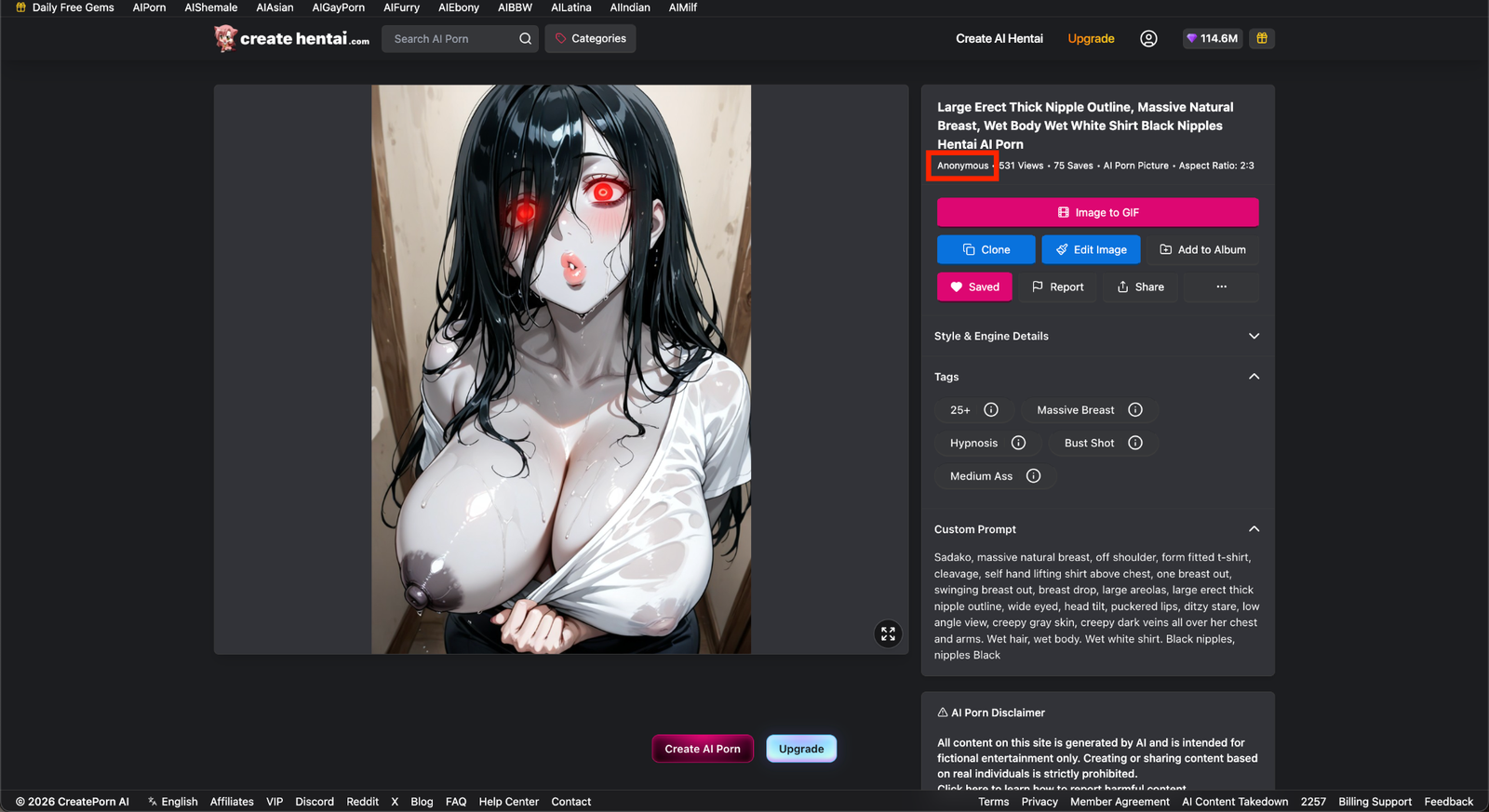
A Private Profile helps limit what other users can see about your account activity.
When your profile is private, your Images will display Anonymous as the creator, and other users will not be able to access your profile activity.
You can turn this setting on or off at any time.
Note: While you appear as Anonymous, your posts will still be visible on our feed.
How to Enable a Private Profile
Open Settings
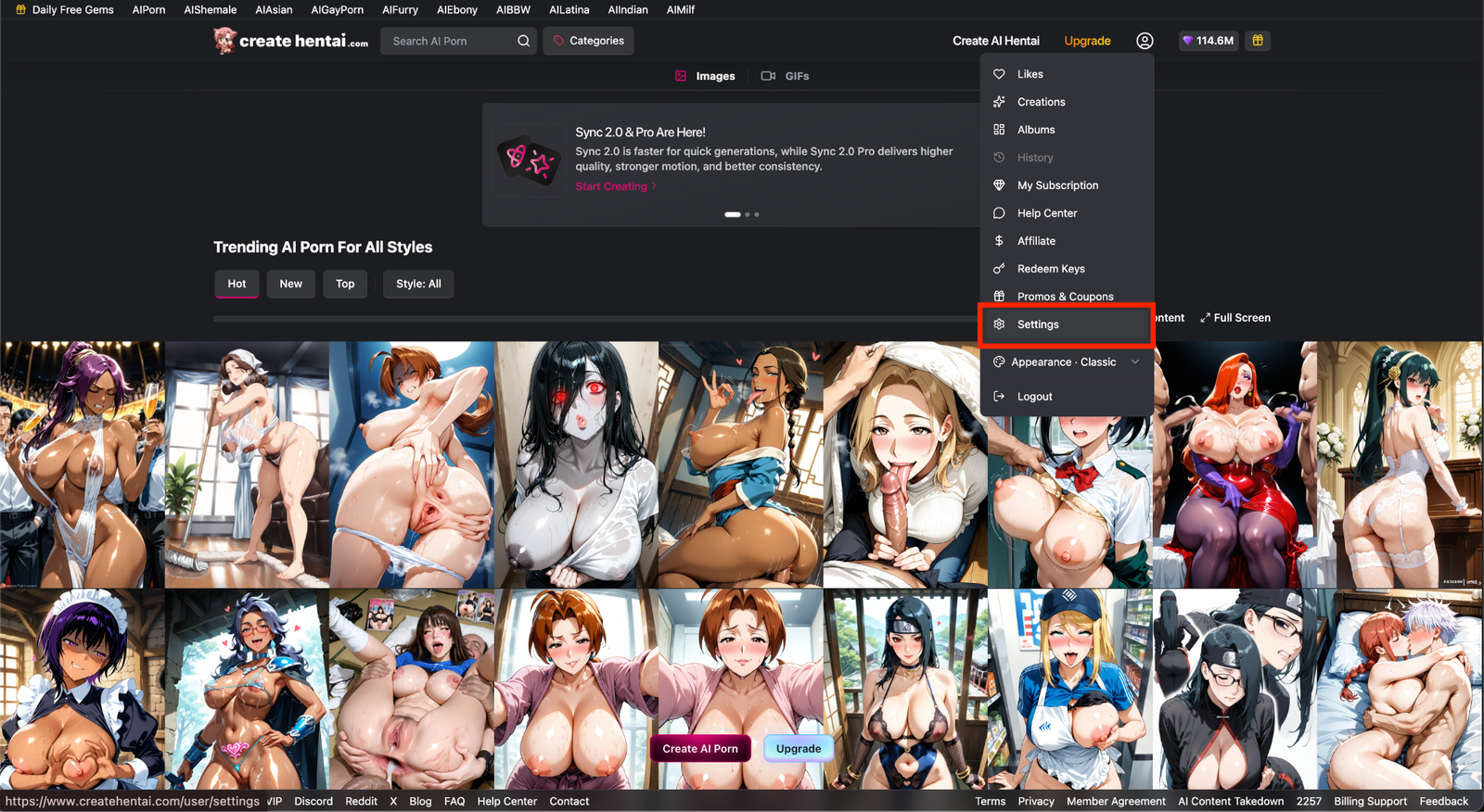
Select your profile icon in the top-right corner of the page.
Select Settings from the menu.
Turn On Private Profile
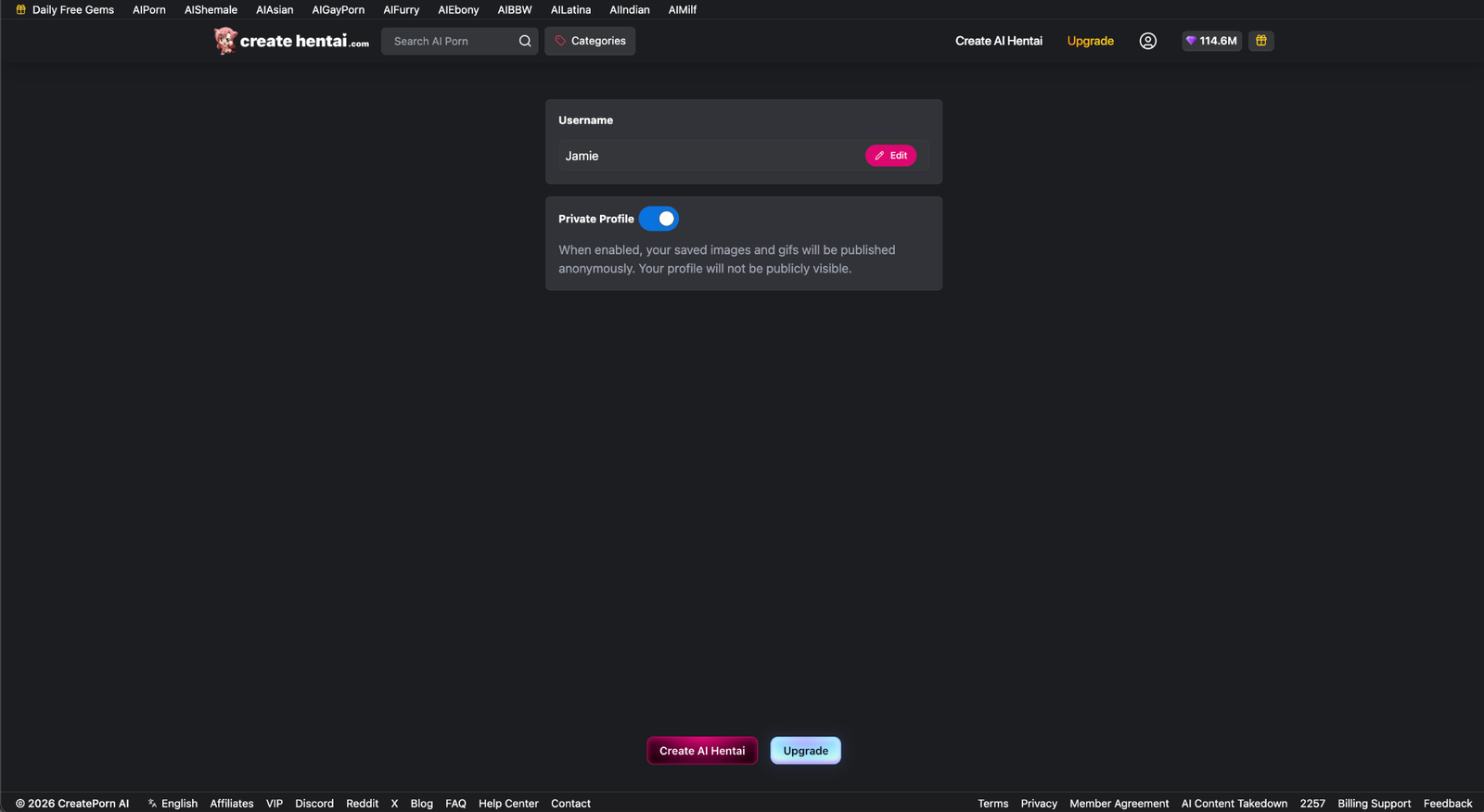
Find the Private Profile setting.
Use the toggle to turn the setting on.
Your Images will now appear under Anonymous, and other users will no longer be able to access your profile activity.
How to Disable a Private Profile
Return to Settings and find the Private Profile option.
Use the toggle to turn the setting off.